NEW Desktop billing for retail, clothes & footwear shops →

Billing for your shop, on your phone and your computer.

Make bills in seconds, print or send them on WhatsApp, track udhaar and stock, and see your profit every day. Simple enough for any shopkeeper, in Hindi and English.

Free to start Works without internet Cloud backup Hindi & English
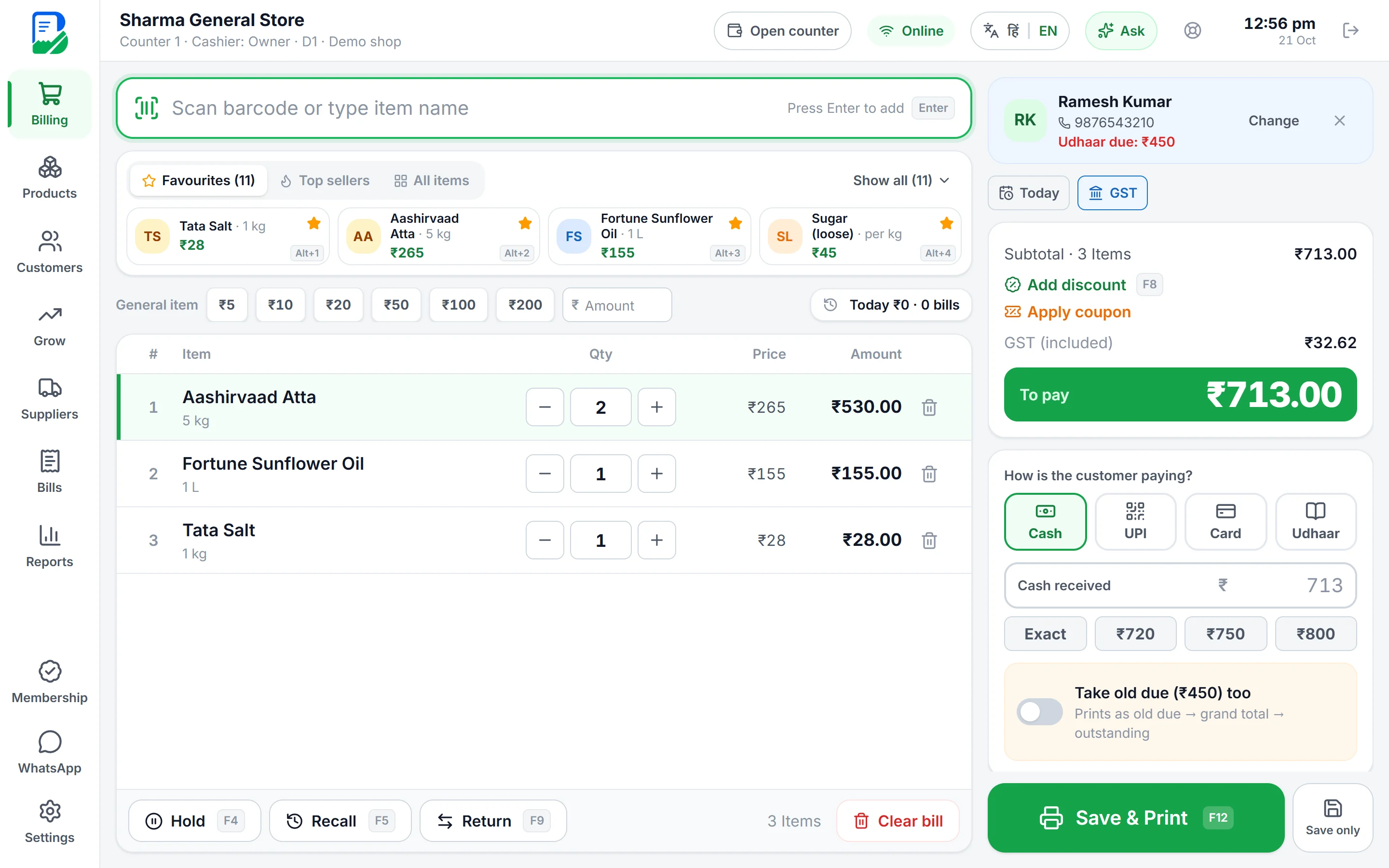
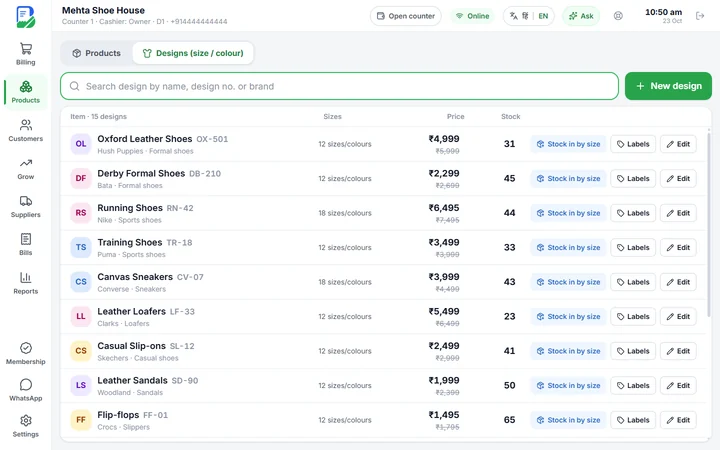
BillKaro Desktop billing screen on a laptop
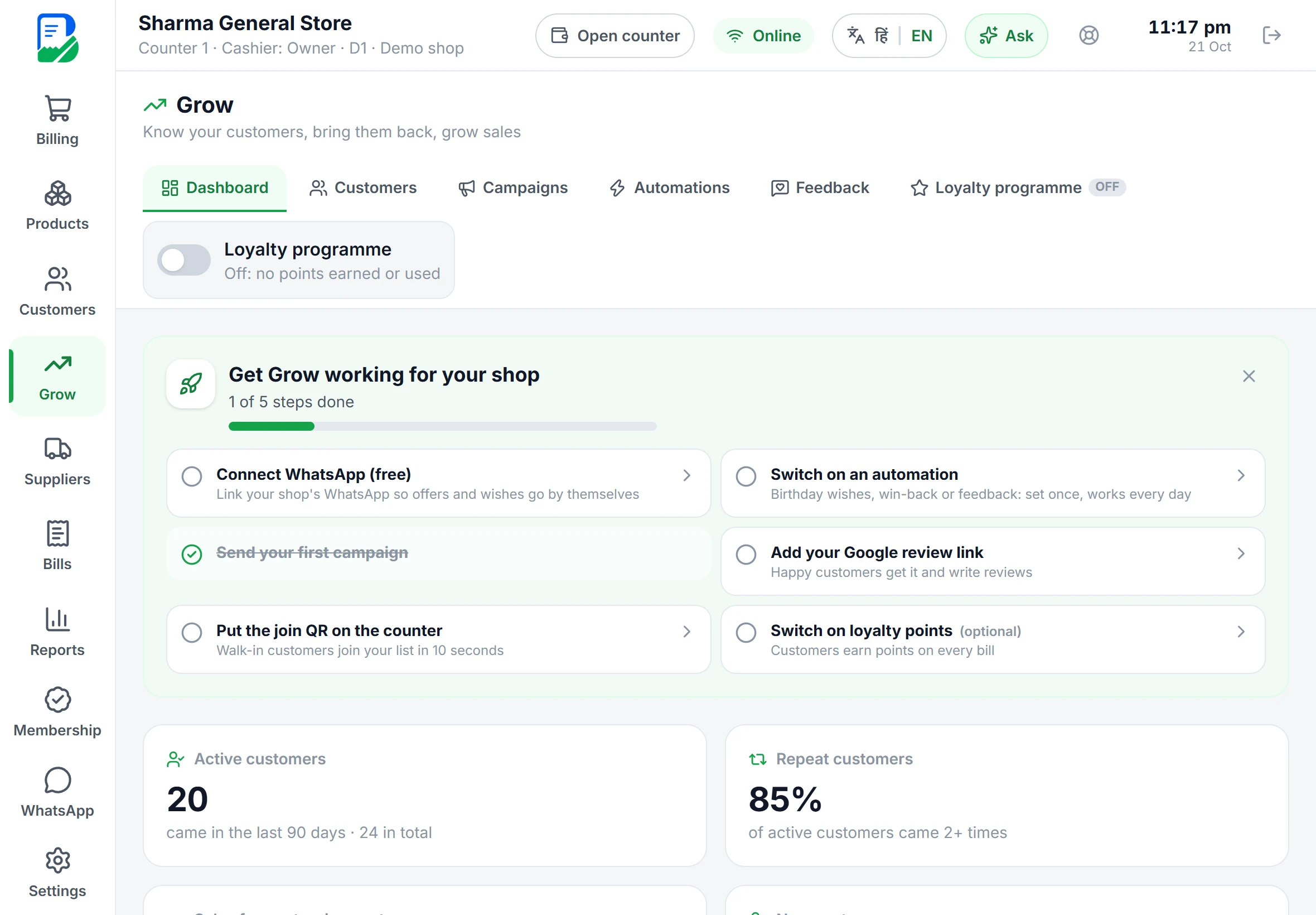
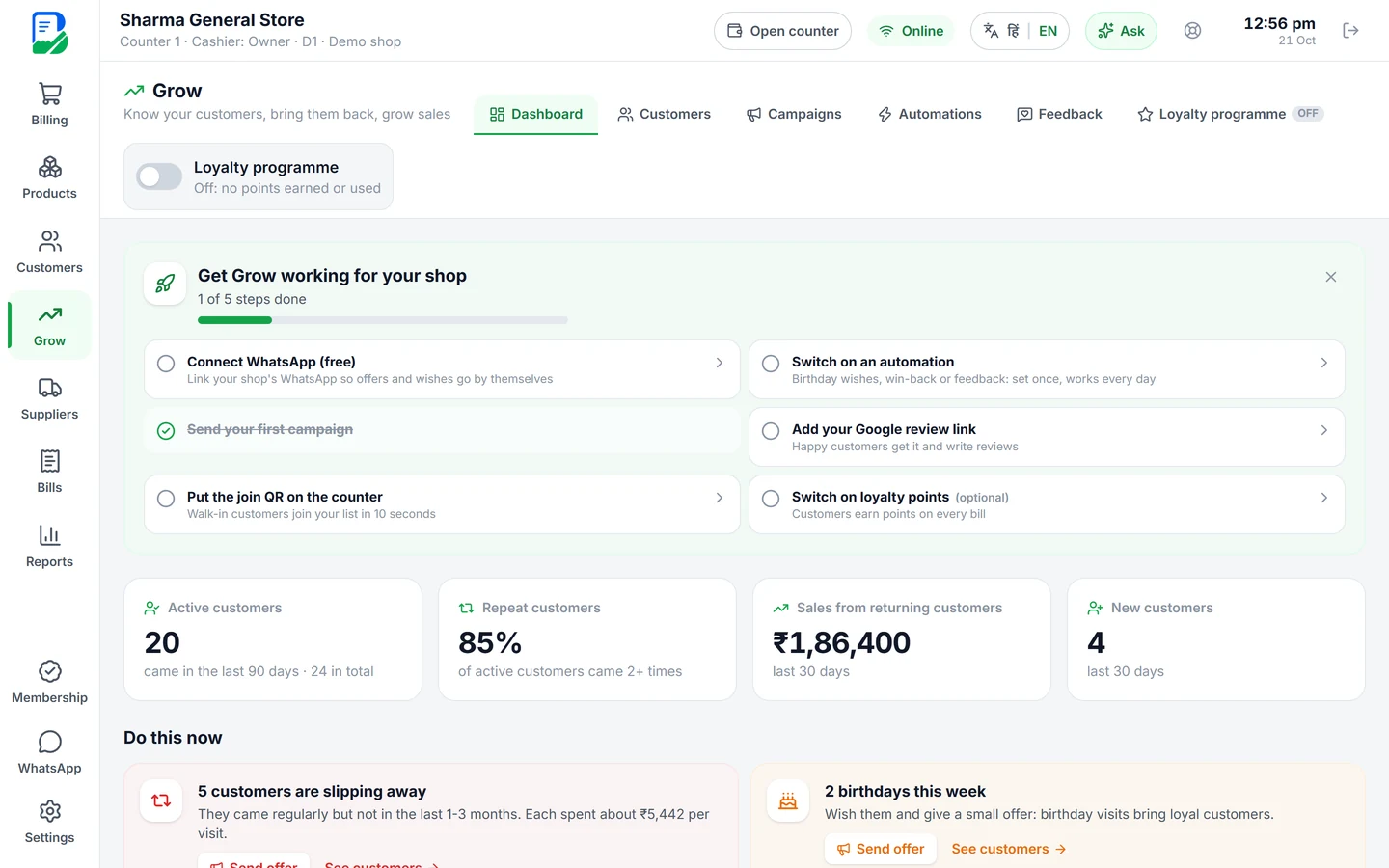
BillKaro Grow dashboard on a tablet
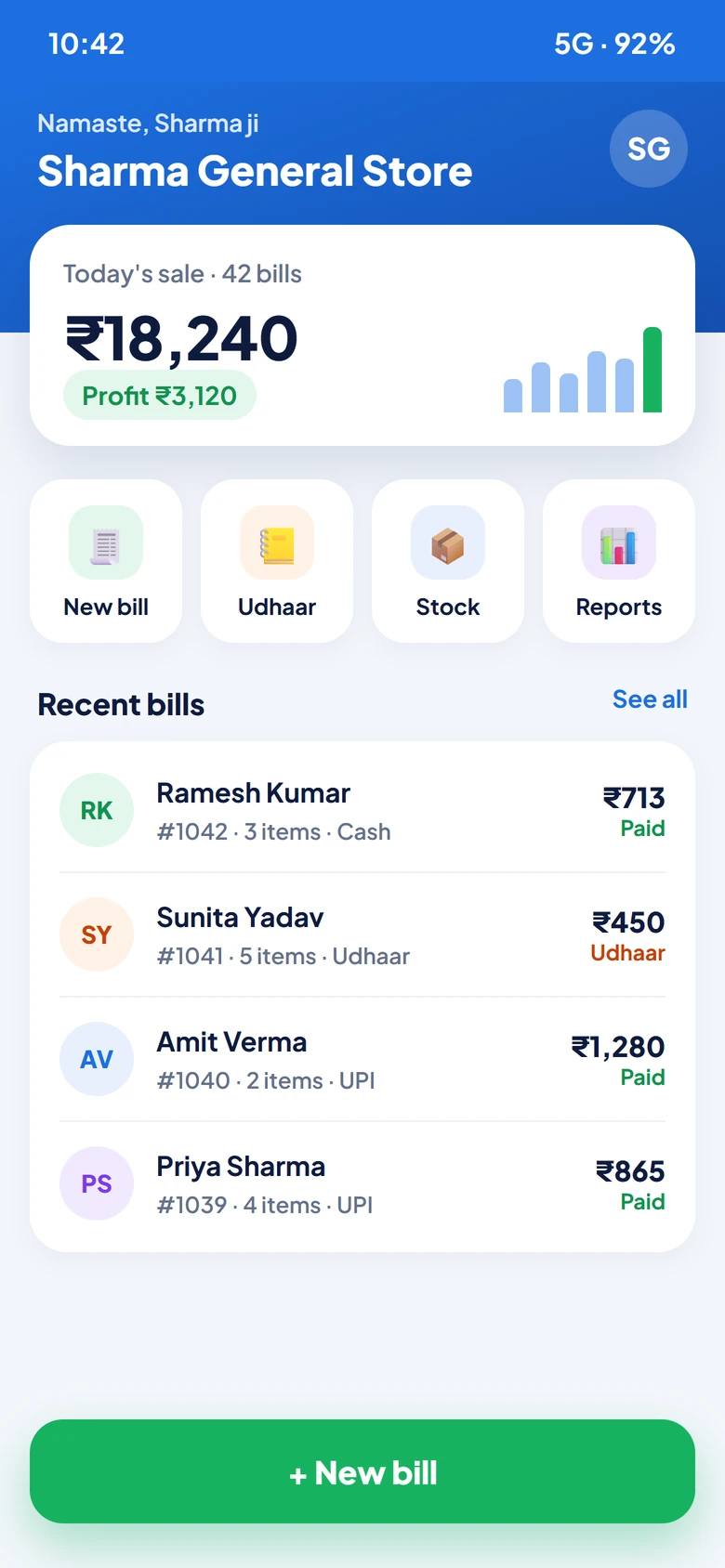
BillKaro mobile app home screen
🛒 Kirana💊 Medical🔧 Hardware📱 Mobile shop👕 Garments 🍰 Bakery🍽️ Restaurant📚 Stationery💻 Electronics🥛 Dairy 💄 Cosmetics👟 Footwear🥦 Sabzi
🇮🇳Made in Indiafor Indian shops
☁️Safe cloud backupon Google Cloud
🔐Secure paymentsGoogle Play & Razorpay
💬Real supporton WhatsApp, Hindi & English
🔒Your data is yoursprivate to your shop
Made for Indian shops

From kirana to garments, built for your counter.

BillKaro is made for the way shops in India really work: loose items by weight, udhaar for regular customers, GST when you need it, and WhatsApp for everything.

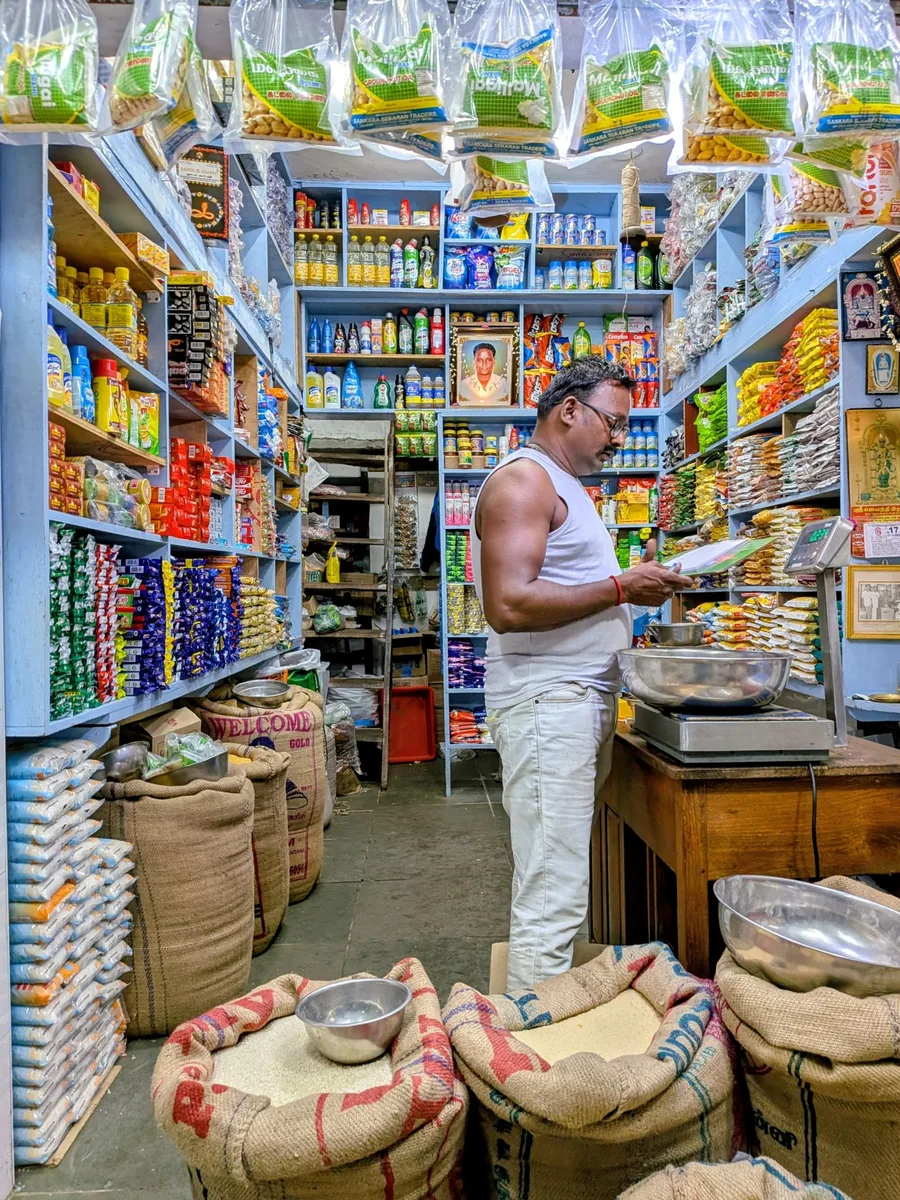
Inside an Indian grocery store with full shelves
Grocery & supermarketsBarcode billing, stock and daily profit
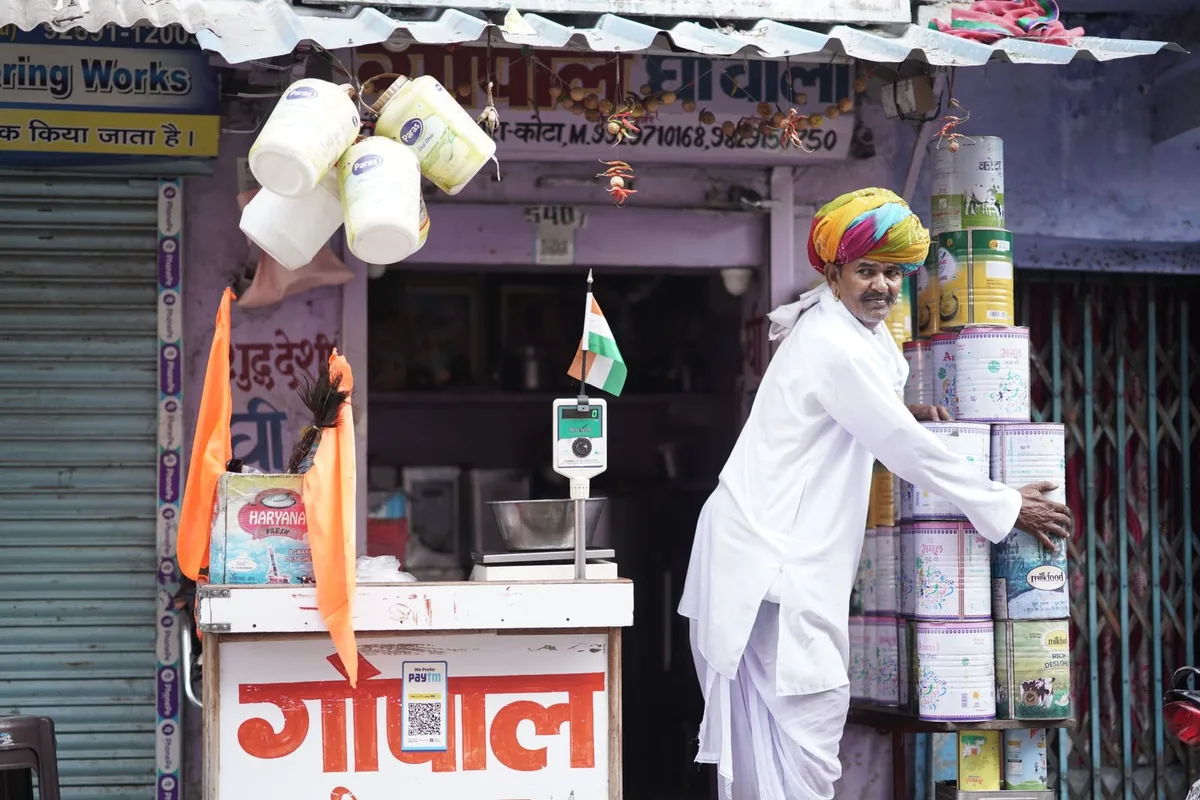
A smiling shop owner outside his shop in Rajasthan
Traders & wholesalersUdhaar khata and supplier ledger
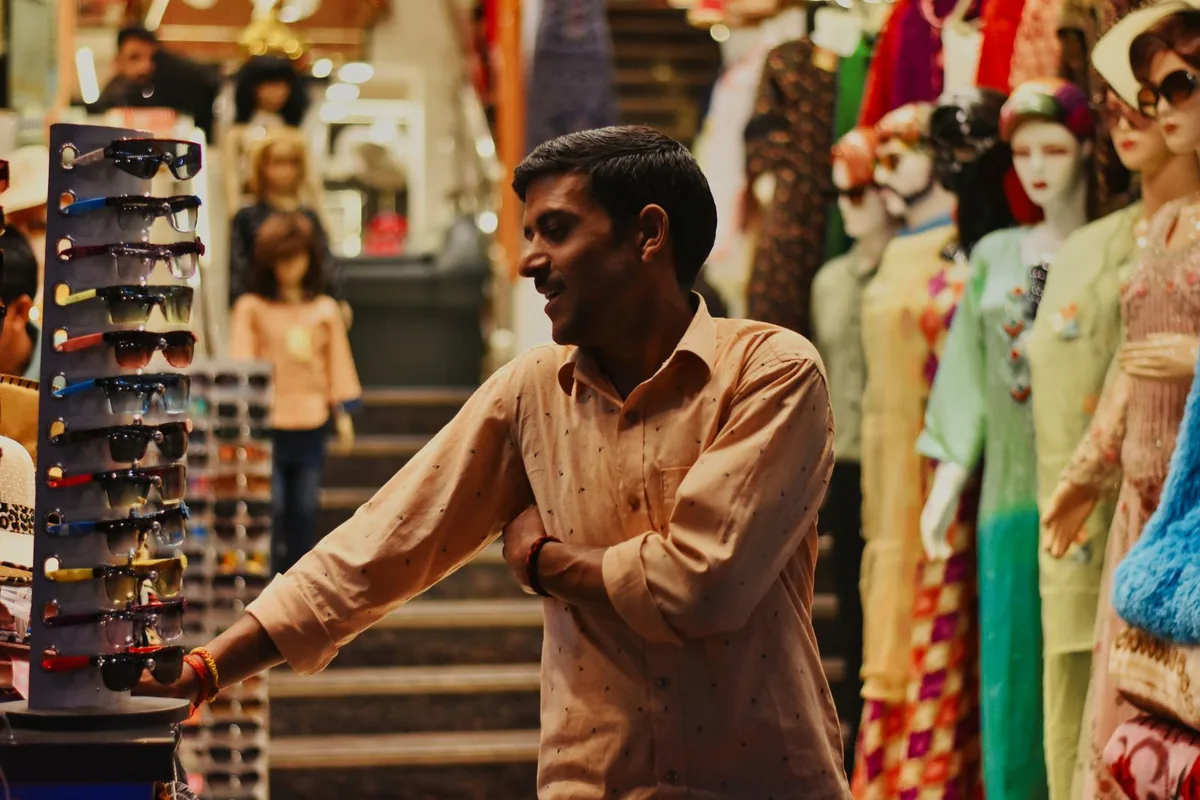
A garment shop owner in his store
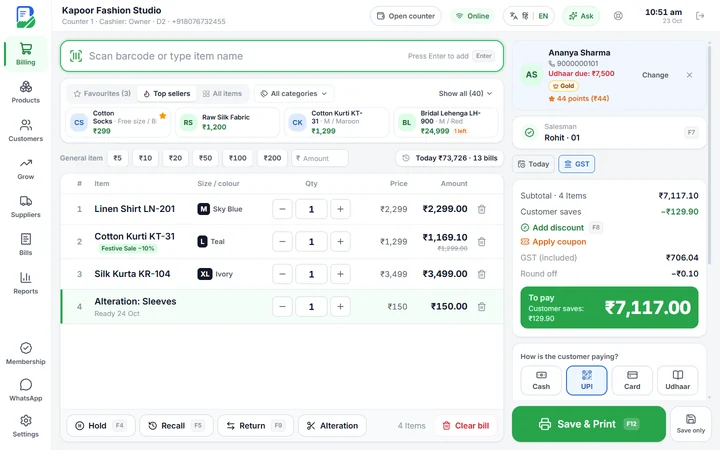
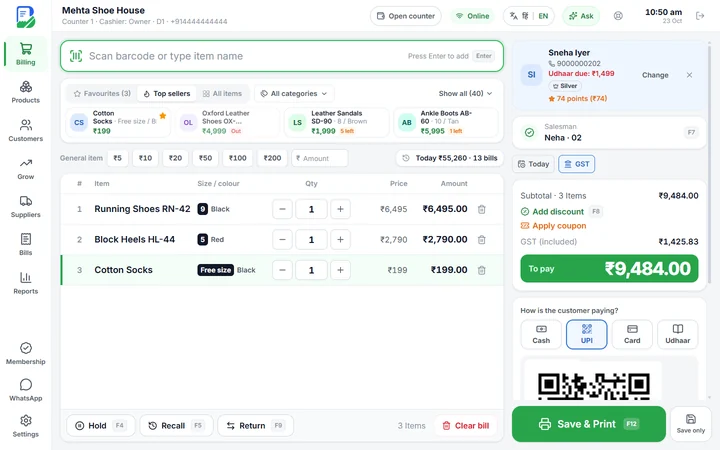
Garments & footwearSizes, colours and returns
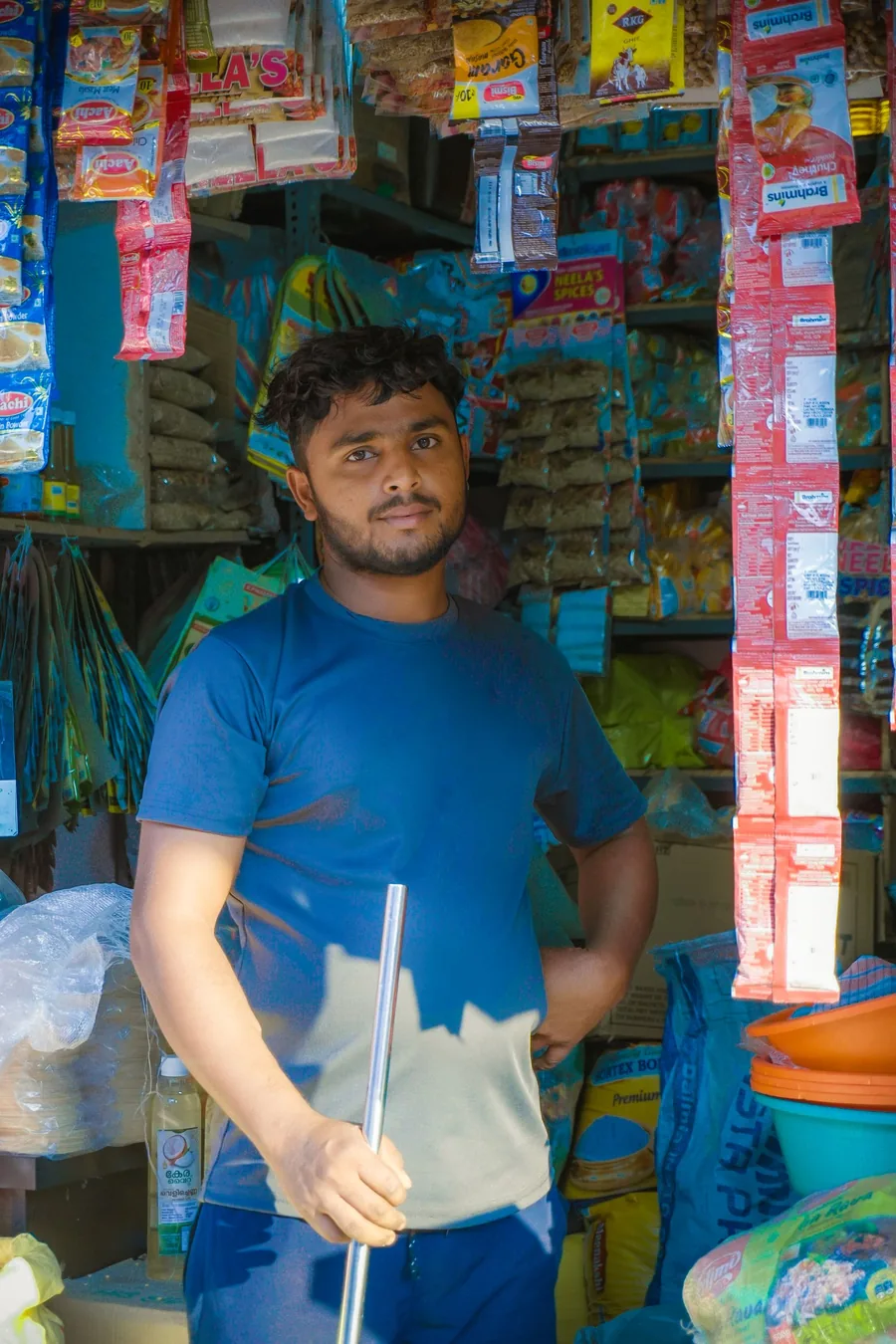
A young shopkeeper in his general store
General & kirana storesFast bills and loose items
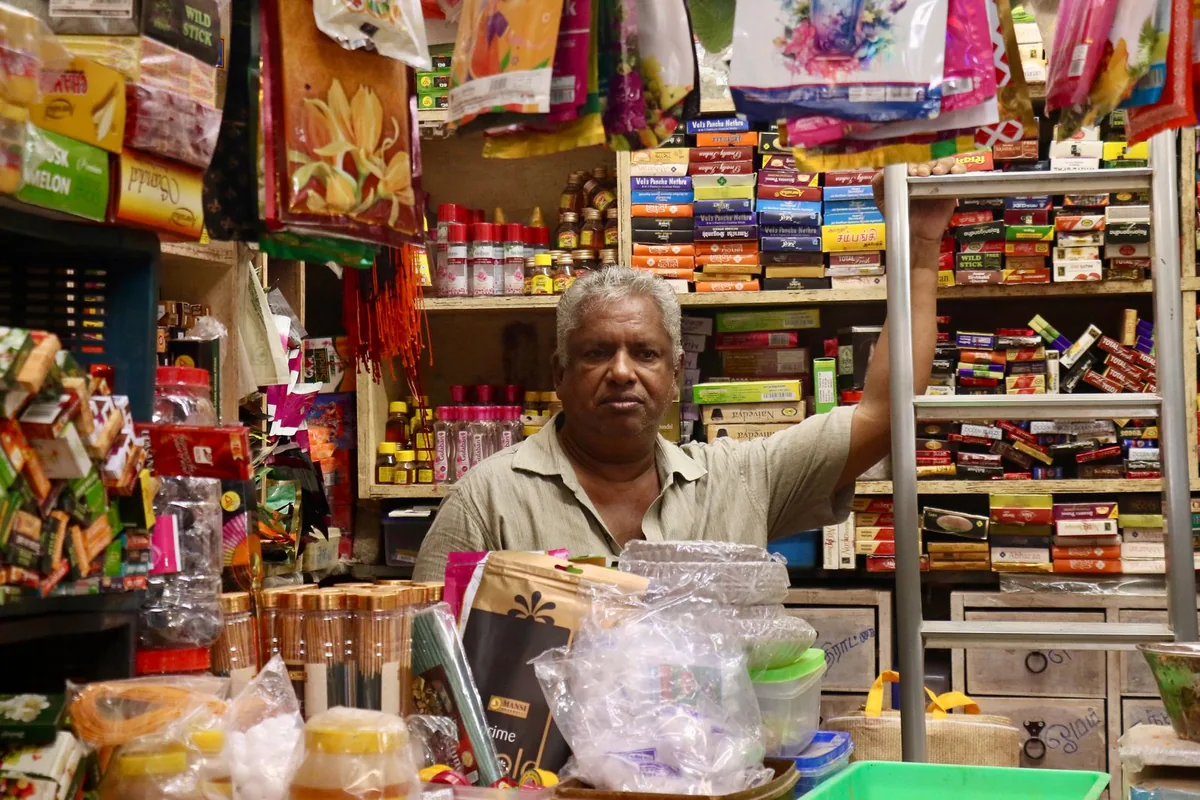
A kirana owner surrounded by products
Every neighbourhood shopSimple enough for anyone
Choose your BillKaro

One shop, two ways to bill.

Start on your phone for free. Add the desktop software when your counter gets busy. Both work together on one account.

Mobile app

For small shops · Android phones & tablets

Free to start · Pro from ₹30/month

  • GST invoices and simple bills in seconds
  • Print on a Bluetooth thermal printer or share on WhatsApp
  • Udhaar khata, supplier ledger and stock
  • Daily sale and profit, offer posters for WhatsApp

Desktop software

For busy counters · Windows 10 & 11

15 days free · then from ₹299/month

  • Fast barcode billing with keyboard shortcuts
  • Staff logins with PIN and permissions, many counters
  • Stock, purchases, returns and full reports
  • Loyalty points, coupons and WhatsApp offers to bring customers back
Download for Windows Includes the phone app
🔄

Use both together. A bill made on the phone shows on the computer in seconds, and the other way round. Same customers, same stock, same udhaar, everywhere.

Features

Everything your counter needs.

Built with shopkeepers, for the way Indian shops really work.

🧾

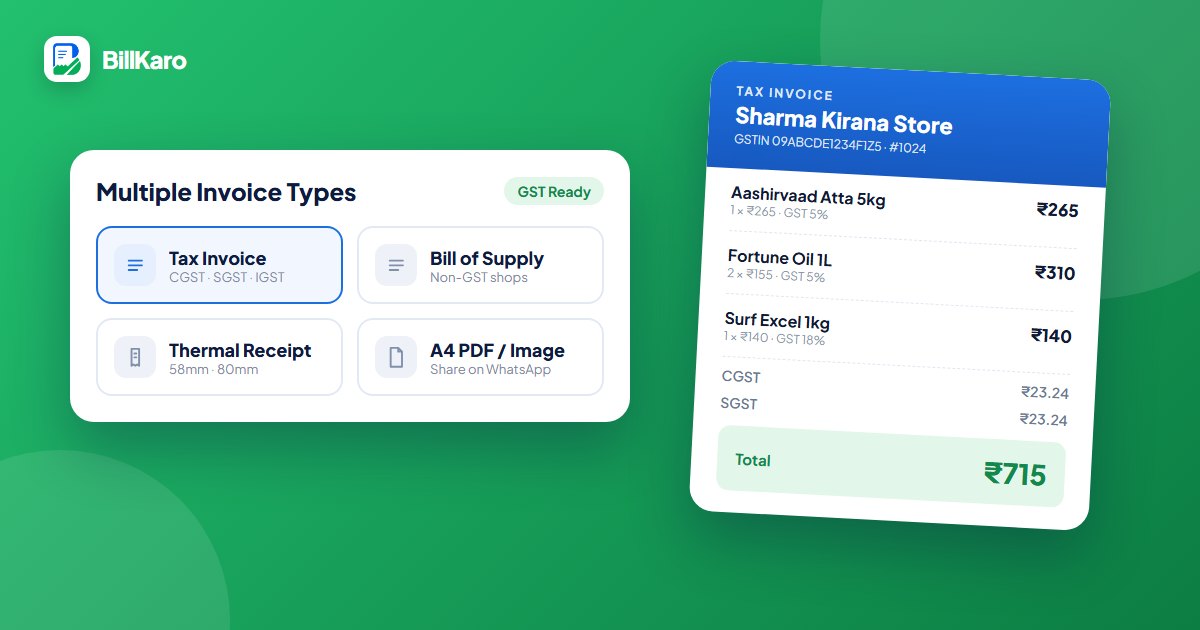
The right bill for every sale

GST tax invoice with CGST, SGST and IGST, Bill of Supply, or a simple receipt. Your shop name, GSTIN and logo on every bill.

MobileDesktop
🖨️

Print or share in one tap

Bluetooth and receipt printers in 58mm and 80mm, A4/A5 invoices, or send the bill on WhatsApp.

MobileDesktop
📒

Never lose track of udhaar

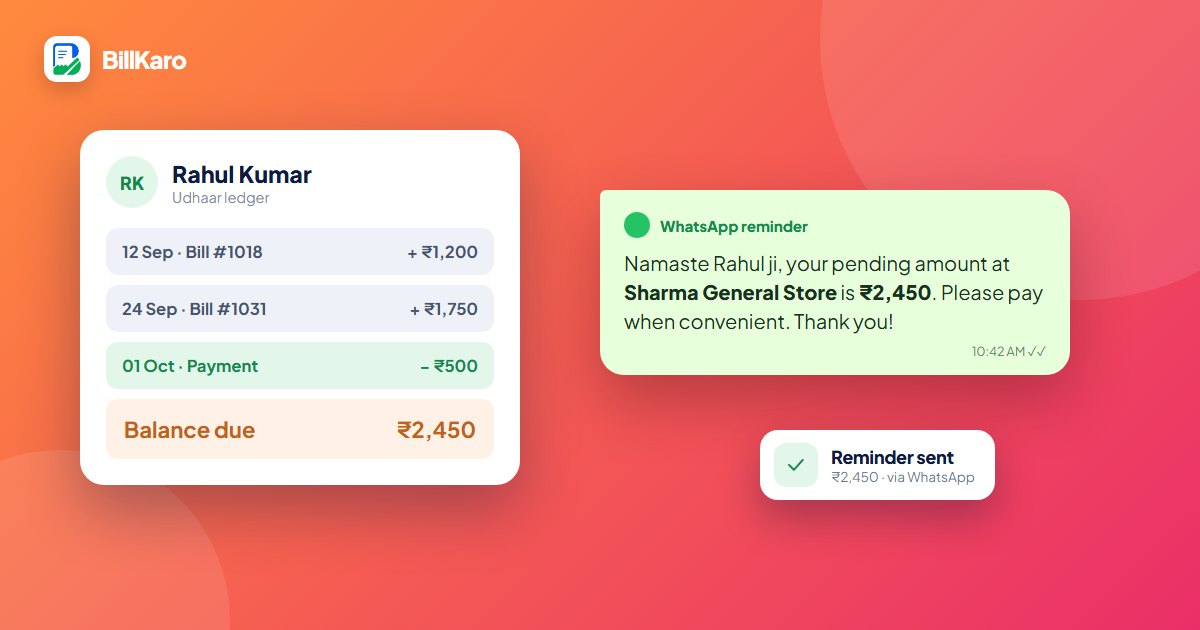
Every customer's khata with balance, payments and polite WhatsApp reminders, so money comes back faster.

MobileDesktop
📦

Stock that manages itself

Stock goes down with every sale and up with every purchase. Low-stock alerts before you run out.

MobileDesktop
🚚

Suppliers and purchases

Purchase bills, supplier ledger and payments in one place. Know exactly whom you owe.

MobileDesktop
📊

Sale and profit, every day

Today's sale, profit, top items and payment modes at a glance. Reports for any date range.

MobileDesktop
⚡

Super-fast counter billing

Scan barcodes, use keyboard shortcuts, hold and recall bills, take cash, UPI, card or udhaar.

Desktop
👥

Staff and many counters

Give each staff member their own PIN and control what they can do. Several computers on one shop, with the owner’s phone.

Desktop
👕

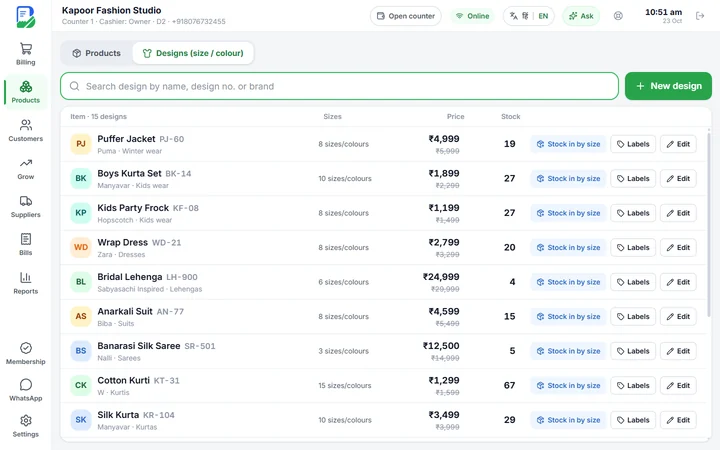
Sizes and colours

For clothes and footwear: one design in every size and colour, each with its own barcode, stock and price tag.

Desktop
✂️

Alterations and exchanges

Alteration charges with a ready date, size exchanges in seconds, and an exchange slip without prices for gifts.

Desktop
🏪

Made for your shop type

Retail, supermarket, clothes or footwear: pick yours and only the screens your shop needs appear.

Desktop
⭐

Loyalty and growth

Points, coupons, birthday wishes, win-back offers and feedback on WhatsApp to bring customers back again and again.

Desktop
BillKaro Desktop

Made for your kind of shop.

Pick your business when you sign up. The billing screen, products, bills and reports change to fit the way your shop sells.

Bill a full queue in minutes.

For kirana, general stores, grocery and supermarket counters.

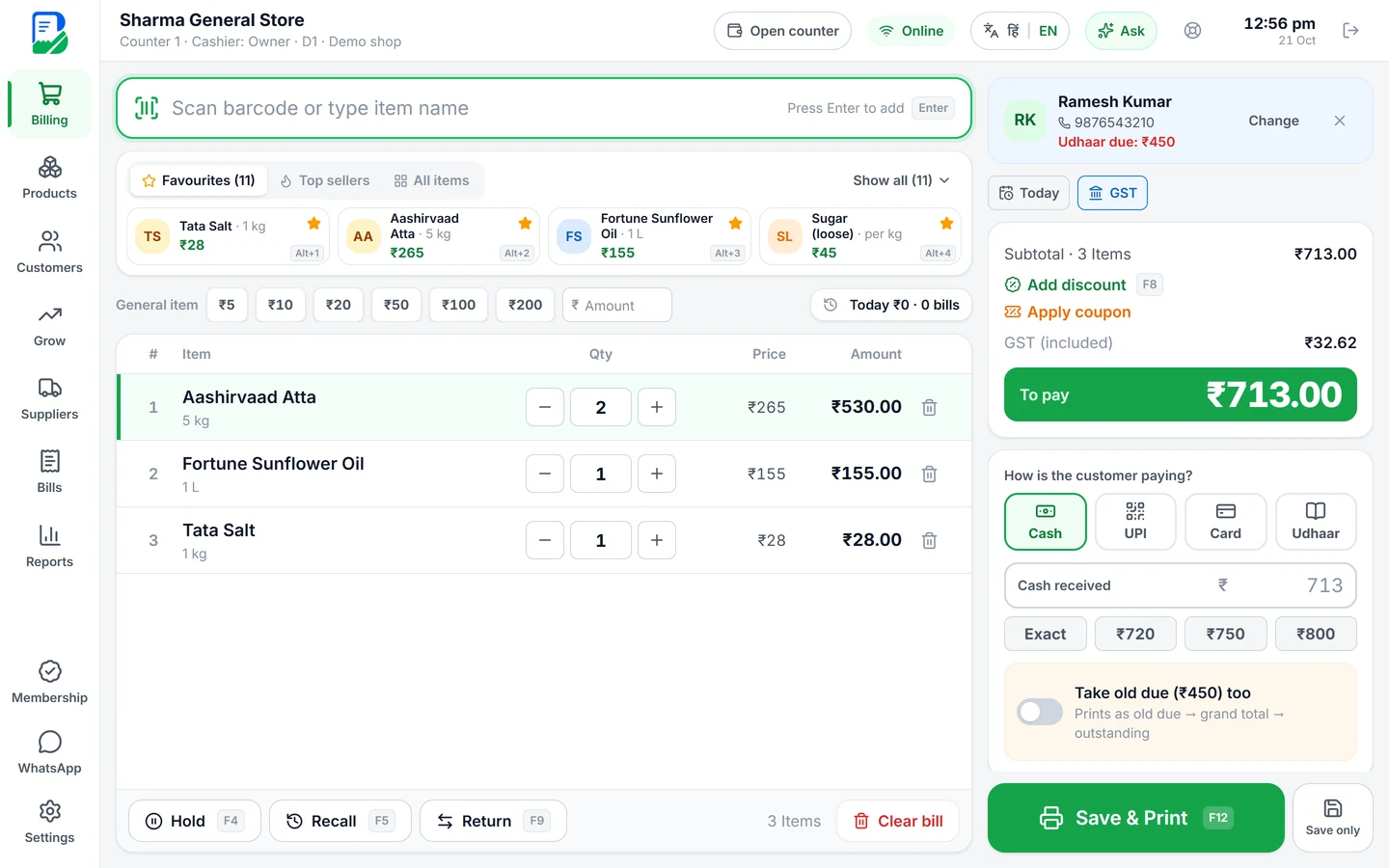
  • Barcode scanner and keyboard billing: a bill in seconds
  • Loose items by weight, weighing-scale labels and quick amounts
  • Udhaar khata with polite WhatsApp reminders
  • Stock with low-stock alerts, suppliers and purchase bills
  • Offers that apply themselves: buy X get Y, combo price, season sale
  • Loyalty points and coupons that bring customers back
GST invoicesCash · UPI · Card · UdhaarHold & recallWorks offline
BillKaro POS
BillKaro desktop billing for a kirana store with items, udhaar and payment options

One app, one price list. 15 days free, no card needed. Works with your phone app too.

BillKaro Desktop

A real POS for your counter.

Big screen, big buttons, barcode scanner and keyboard. Bill a queue of customers in seconds, and everything reaches your phone too.

  • 1
    Download and installOne small installer for Windows 10 or 11 (64-bit). Updates come by themselves.
  • 2
    Log in with your BillKaro numberAlready use the phone app? Your products, customers and udhaar come to the computer automatically.
  • 3
    Start billing, free for 15 daysPick a plan only when you are happy. Pay by UPI or card inside the software.
Download BillKaro for Windows Version 0.1.5 · 33 MB · Windows 10 / 11, 64-bit If Windows shows “Windows protected your PC”, click More info → Run anyway. This appears for new software; BillKaro is safe to install.
BillKaro POS · Sharma General Store
BillKaro desktop billing screen with items, customer udhaar and payment options
Video tutorials

Learn BillZento in a few minutes.

Step-by-step videos for the desktop software, in English and Hindi. Pick your shop, press play, and jump straight to the part you need.

Video language

Clothes and footwear videos show what is special for those shops. For billing, udhaar, customers and reports, watch the Retail video.

Phone + Computer

Your shop in your pocket, even when you are away.

Bill at the counter on the computer, and check today's sale, stock and udhaar on your phone from anywhere. Everything is backed up in the cloud.

⚡Bills reach the other device in seconds
📶Keeps working without internet, syncs when it is back
☁️Cloud backup: change your phone or PC, lose nothing
🔒Your data stays private to your shop
How it works

From download to first bill in minutes.

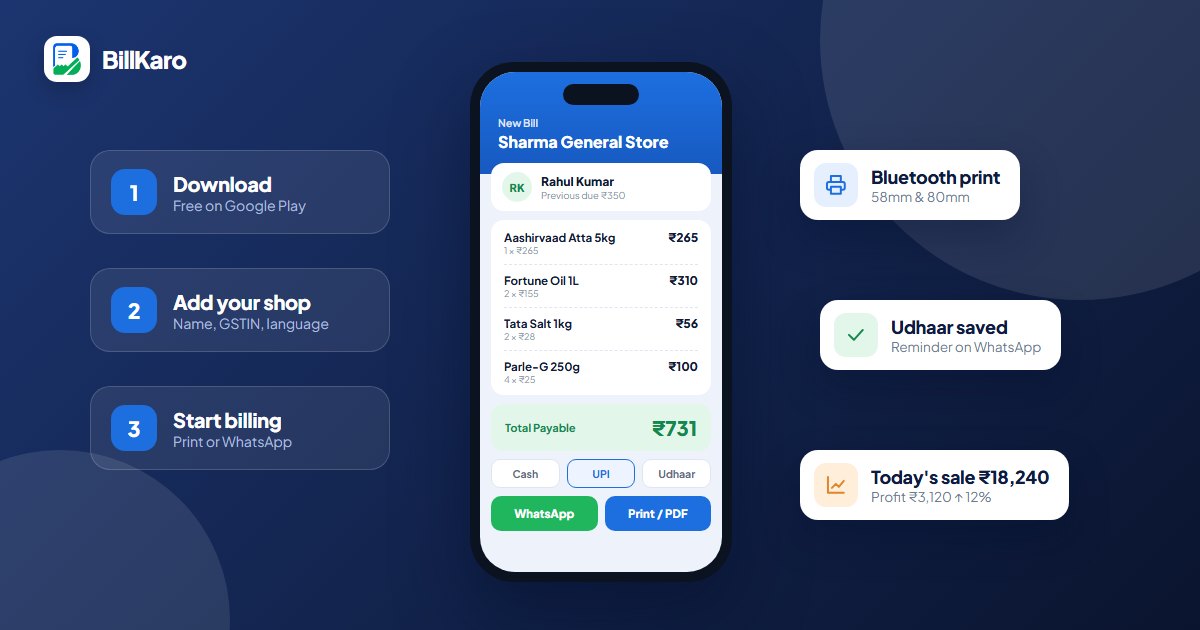
Download BillKaro

Free from Google Play on your phone, or the desktop software for your Windows computer.

Add your shop

Enter your shop name, add items or scan barcodes. Import a list in one go if you have one.

Start billing

Make your first bill, print it or send it on WhatsApp. That's it.

Pricing

Simple prices. No hidden costs.

Separate plans for the mobile app and the desktop software. No setup fee, no hardware to buy.

START HERE

Free

Download and start billing
₹0forever
  • Billing, printing and udhaar to get started
  • GST invoices and simple bills
  • Hindi and English
Get the app

Monthly Pro

Try Pro, pause any time
₹30/ month
Less than ₹1 a day
  • Unlimited billing and udhaar
  • PDF bills with your shop name
  • Weekly sales analytics
  • Auto data backup
Choose in the app

Business Pro

6 months
₹150/ 6 months
₹25 a month · save 17%
  • Everything in Monthly Pro
  • Your shop logo on PDF bills
  • Monthly sales reports
  • Export ledger to PDF
Choose in the app
BEST VALUE

Enterprise Pro

1 year
₹300/ year
₹25 a month · save 17%
  • Everything in Business Pro
  • Automatic cloud backup
  • Best price for a full year
Choose in the app

Mobile Pro plans are bought inside the app through Google Play (the app shows Play's final price). One phone or tablet per plan.

FAQ

Questions shopkeepers ask us.

General
Does BillKaro support GST billing?

Yes. Create GST tax invoices with CGST, SGST and IGST, with your GSTIN on the invoice. Not registered for GST? Use the Bill of Supply or a simple receipt.

Which printers work with BillKaro?

On the phone: Bluetooth thermal printers in 58mm and 80mm. On the computer: receipt printers and normal printers installed in Windows, for receipts and A4/A5 invoices. No printer? Share the bill on WhatsApp.

Which languages does it support?

Hindi and English, on both the phone app and the desktop software.

What happens to my data if I change my phone or computer?

BillKaro backs up your bills, udhaar and stock in the cloud. Log in on the new device and everything comes back.

Mobile app
Is the mobile app free?

Yes, it is free to download from Google Play. Optional Pro plans start at ₹30 a month and are bought inside the app.

Which phones does it run on?

Android phones and tablets.

Desktop software
Which shops can use BillKaro Desktop?

Kirana and general stores, grocery and supermarkets, clothes and fashion shops, and footwear stores. Pick your business when you sign up and the screens fit it: weighing and loose items for retail; sizes, colours, alterations and exchange slips for clothes; shoe sizes, pairs and size exchange for footwear. One account is one kind of shop.

Which computers does BillKaro Desktop run on?

Windows 10 and Windows 11 (64-bit). A normal shop computer or laptop is enough. USB barcode scanners work out of the box.

How much does the desktop software cost?

You get 15 days free. Then plans start at ₹299 a month or ₹1,999 a year for one computer and one phone, with bigger plans for staff and more counters. Pay by UPI or card inside the software.

Does it work without internet?

Yes. Billing works offline, and everything syncs to the cloud and your phone when the internet is back.

I already use the phone app. Do I need a new account?

No. Log in on the computer with the same BillKaro mobile number and password. Your products, customers and udhaar come across automatically, and bills from both stay in sync.

Windows says “Windows protected your PC”. Is it safe?

Yes. Windows shows this for new software it hasn't seen before. Click More info, then Run anyway to install BillKaro.

How do I get updates?

Automatically. When a new version is ready, BillKaro asks you, and updates itself in a few seconds with one click.

How do I delete my account and data?

You can ask us to delete your account and its data on the account deletion page.

Support

Stuck? Talk to us directly.

Real people who understand shops. We reply in Hindi or English.

💬

WhatsApp support

Fastest way to get help with setup, printing or plans.

+91 63877 80336
✉️

Email support

For invoices, account questions and anything else.

support.coding30@gmail.com

Take your shop digital today.

Free on your phone. 15 days free on your computer.